![5e7383edff0f8e6e3c4967b0_sw-logo-black-1.png]](https://help.syncwords.com/hs-fs/hubfs/5e7383edff0f8e6e3c4967b0_sw-logo-black-1.png?height=40&name=5e7383edff0f8e6e3c4967b0_sw-logo-black-1.png)
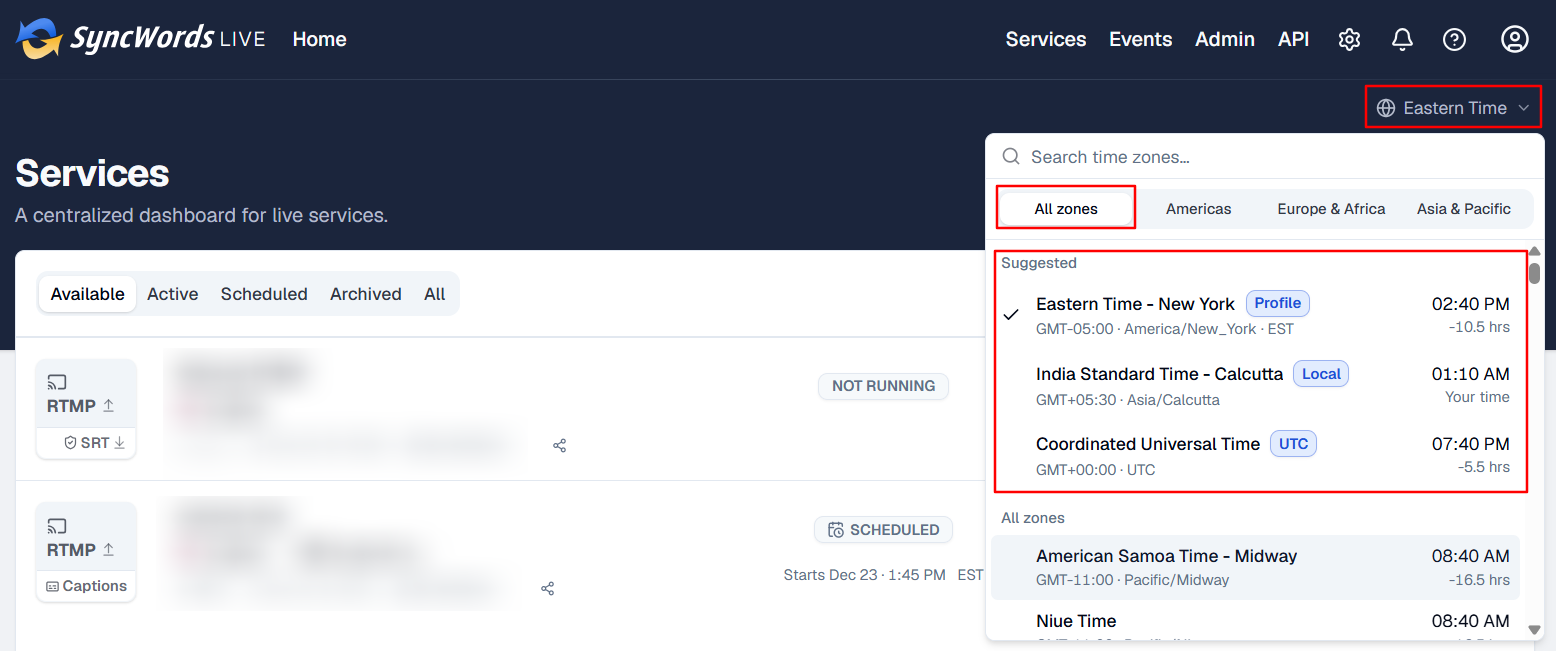
Yes. Your profile time zone sets the times you see across SyncWords Live, for Events and Services. On Services pages, you can also use the time zone selector at the top right to switch to UTC, your computer's local time zone or any other time zone.
Change the time zone on Services pages
- Click the time zone at the top right of the page, for example Eastern Time.
- Pick a time zone. Under Suggested you'll find:
- your profile time zone, marked Profile
- Coordinated Universal Time, marked UTC
- your computer's time zone, marked Local
- To find another one, type its name in the search box or browse by region (Americas, Europe & Africa, Asia & Pacific). Each zone shows its current time and its difference from yours.
Times on the page switch to the zone you picked, and the selector shows its name. The selector applies only to Services and their schedules; Your choice is saved to your account, so it stays the same the next time you log in. Events always use your profile time zone.
Searching tip: search by the full name or a city, not an abbreviation. "IST", for example, could mean India or Ireland, so search for "Indian Standard Time" or "Kolkata".
Your profile time zone
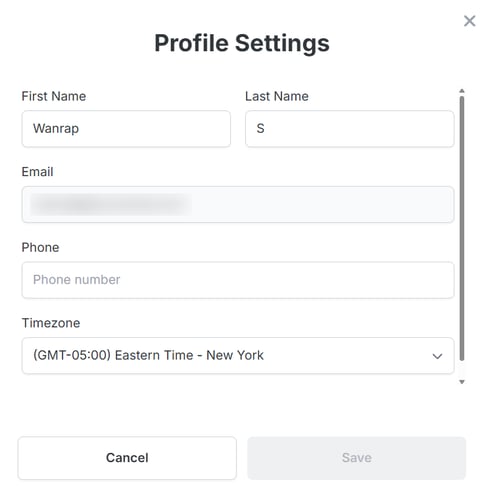
Your profile time zone applies to both Events and Services, and it's Eastern Time unless you change it. To change it, click the profile icon in the top right corner, choose Profile from the dropdown, and pick your time zone from the Timezone dropdown. Click Update to save.
How it works with schedules
The selector changes how times are shown, not when things happen. Each Service schedule keeps its own time zone, shown under When in the schedule, for example In the schedule's time zone, America/New_York.
NOTE: A team in different countries can share one schedule. A run set for 4 PM Eastern shows as 9 PM for a colleague viewing in UTC, and bo
Learn more
- Schedule a Service to start and stop automatically.
- To change the time zone attendees see on an Event's captions page, use Display Time Zone in the Event's settings: see General Settings Tab for Events. Captions pages for Services don't show a time zone.